- Bereitstellung
- Beschaffung, Lizenz- und Vertragsmanagement
- Betrieb und Pflege der Lizenzserver
- Schnittstelle zum Hersteller-Support
-
LabVIEW (NI)
-
Development environment for signal acquisition, measured value analysis and data presentation.
- Contact:
- Contact Person:
- Services:
About NI LabVIEW
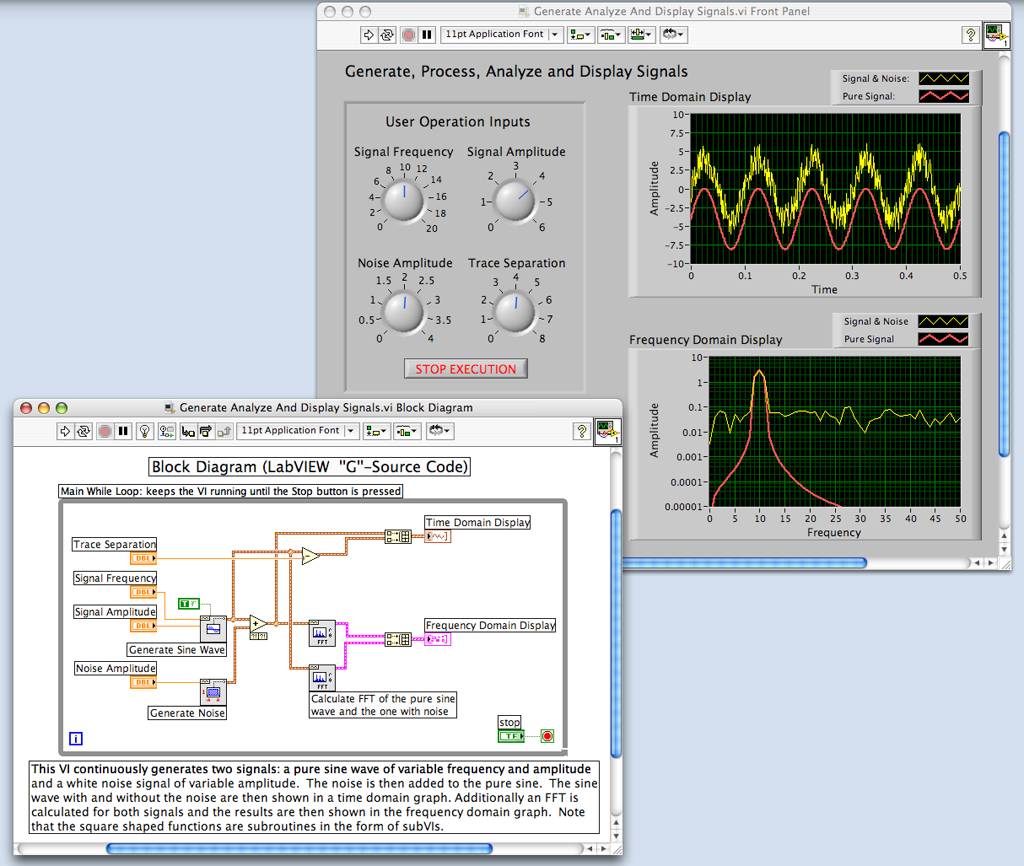
LabVIEW from National Instruments (NI) offers extensive functions for data acquisition, analysis, and visualization, and enables the creation of a complete system on the platform of your choice. In both traditional measurement and testing technology as well as process visualization and control engineering, computers are increasingly being used. Whereas conventional process monitoring used device front panels, control panels, and command centers, the LabVIEW software product uses the workstation or PC for this purpose, to which analysis and control tasks are assigned in various ways.
LabVIEW solutions consist of so-called front panels as the human–machine interface and a block diagram as the actual control program. By connecting individual functional blocks of a measurement application in the block diagram, so-called virtual instruments (VIs) are created, which replicate the appearance of a conventional measurement and control system. In terms of functionality, these VIs are comparable to real integrated circuits (ICs). They have multiple connections and perform tasks ranging from simple addition to fast Fourier transforms and histogram generation.
The program includes extensive tools for programming user interfaces, libraries for signal analysis, and instrument drivers for controlling devices via, for example, serial interfaces. In addition, a wide range of plug-in boards for data acquisition and system control is supported for PCs, PowerPCs, Macintosh, and Sun systems.
Current Licensed Software Version
LabVIEW 2026 Q3
LabVIEW 2026 Q1
LabVIEW 2025 Q3
Installation
The installation files for the latest version of the software, along with network licensing information are available on our FTP server. Furthermore, LabVIEW software is no longer available in the Software Shop.
Note: Installation files for versions that are not listed above can be obtained upon request by contacting scs-contact∂scc kit edu.
Licensing
Network License: To use the network license, please specify the license server name and port during installation as indicated in the network license configuration file available on the FTP server. An active internet connection is required to use the software. If you are accessing it from outside the KIT network domain, please connect via VPN in order to reach the license server. For instructions on setting up and using the VPN, please refer to the link: Remote Access (VPN)
Activation with serial number
Activation: The following steps are required for proper software activation. First, configure the license server and ensure that the software is correctly set up for licensing. You will then be prompted to log in using your National Instruments (NI) credentials. We recommend creating an NI account using your KIT credentials prior to activation. Please enter the serial number provided in the activation file, which is available on our FTP server. Completing the activation process is essential to prevent the software from running in evaluation mode.