

Print & Plot News - older messages
Due to the migration of the workflow, the old status pages for A3/A4 single-sheet print jobs are no longer available. In future, you will receive personalized status information for your print jobs, which for privacy reasons can only be viewed by registering/logging in with your KIT user code (students: type "uabcd", staff/guests: type "ab1234"). On the new pages, all status information of the A3/A4 black and white and color printers are summarized chronologically!
With the migration of the workflow, a new print server has been set up for direct printing under Windows and Mac. In future, please connect to the print server "scc-print-srv3.scc.kit.edu" instead of the server "...srv2..." as before.
In the FAQ title "The most important P&P printer options at a glance" in the FAQ section "General" an incorrect description of a print option has been overlooked.
The correct PostScript option should read:"Optimize speed" and not "Optimize portability". The error has been corrected.
On the P&P websites and the P&P flyers from October 2023 (R20.x.xx), incorrect information was given about the width of the roll material (normal and photo paper). The available width of the short edge is 890 mm and not 900 mm as incorrectly stated. We regret the inconvenience this has caused!
As a result of the various Microsoft patches for the "PrintNightmare" security vulnerability, direct printing and connecting to the central SCC print servers is no longer possible on many Windows systems. Please temporarily switch to the webPRINT-interface.
The print account query moved to a new server on 28.10.2021. With the move, the KIT-wide Shibboleth authentication procedure has also been integrated, which means that a single login per session now also enables direct access to the online account query. If you experience any issues, please let us know via email at printundplot-csXvx6∂scckit edu. Thank you and have fun, your P&P team
The new webPRINT system has been online since 12.10.2021. If you notice any problems, please let us know by sending an e-mail to webprintXvx6∂scckit edu. Thank you and have fun, your P&P team
Since 28.09.2021 you will find the print output of the central print service Print & Plot again in room -151.1!
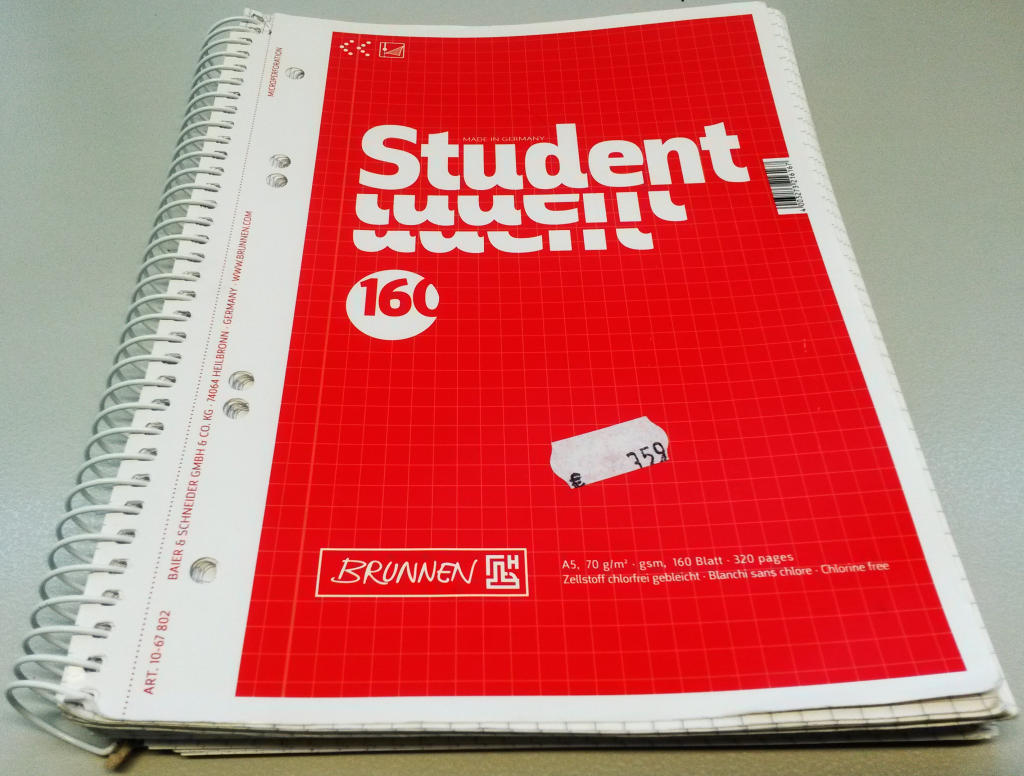
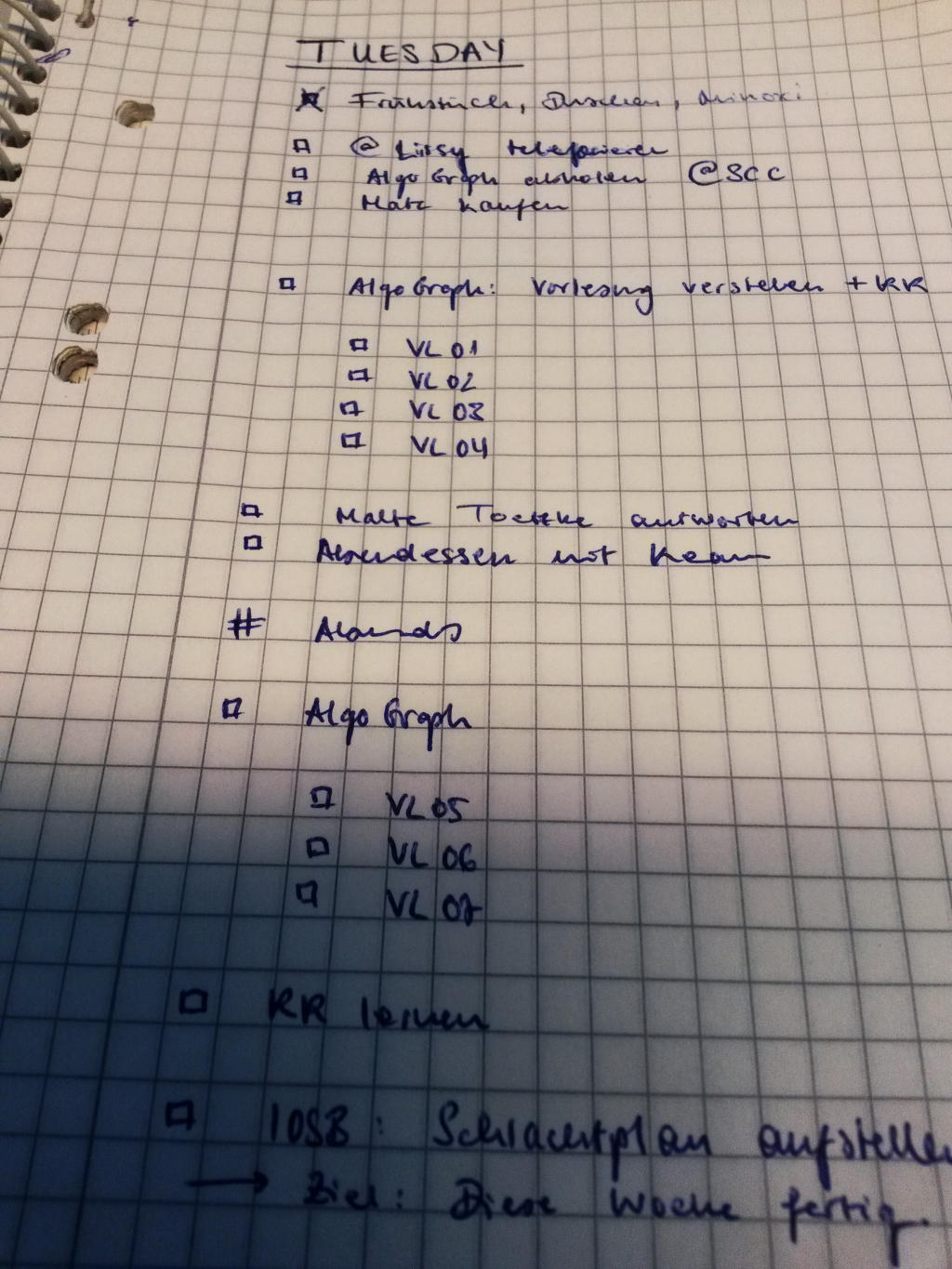
In the course of our move, a diary in the form of a red, A5-sized "Brunnen Collegeblock" has been found. The diary can be picked up in the print edition (room -151.1).
Diary cover page
Diary sample page
Z. The Studierendenwerk in the canteen on Adenauerring currently offers the following opening hours for topping up your KIT-Card:
- "[pizza]werk" BankCard & cash terminal: Mon.-Fri.: 11:00-14:00
- "Cafeteria" checkout by direct debit (SEPA): Mon.-Fri.: 08:00 - 14:00
- "Cafeteria" BankCard terminal: Mon.-Fri.: 08:00-14:00
As part of the ongoing server migration and new development of the "P&P" printer backbone, access to the central single-sheet printers "A3/A4 B/W central printer" and "A3/A4 color central printer" will be possible from 28.10.2020 via the new Windows 2019 print server scc-print-srv2.scc.kit.edu will take place.
With this change, the two old print servers scc-print-stud.scc.kit.edu and scc-print-mab.scc.kit.edu will be switched off, so that the initial connection of the central printers for KIT students and employees must then be made via the new, shared print server.
By setting up two DNS aliases that point from the old servers to the new server, it will be possible to continue working undisturbed with printers that are already connected during a transition phase. These aliases will be deleted at a later date. Afterwards, old printer connections must also be set up again by connecting - once - to the new server [1] and selecting the desired central printer(s) in the printer selection window. We will announce the deletion of the server aliases in good time.
Please note: There may be delays in the status display.
[1] Connecting the A3/A4 central printers via the new Windows print server
Note: Do not type in the double quotation marks (") shown!
- Open the Run window by pressing the <Windows key> + <R> keys simultaneously.
- Enter two "\\" followed by the print server name in the input field:
\\scc-print-srv2.scc.kit.edu - In the login window, enter the user account of the form "KIT\ab1234" or "KIT\uabcd" and the password.
Note: If the domain "KIT" is already displayed, only enter the user account "ab1234" or "uabcd"! - In the new window, select the desired printers
- by double-clicking or
- mark with the "right mouse button" and select "Connect". - Done
The newly connected printer can now be set as the default printer:
Note: For mobile devices, this leads to error messages every time the network changes (including a change of location), as the connection between the end device and the print server is interrupted. However, with a small script that establishes the VPN tunnel and the connection to the print server, the printer can be reconnected quickly.
To reconnect to the print server, enter the following command in "Execute":
\\scc-print-srv2.scc.kit.edu
To permanently set personal print options, proceed as follows
- Select "Start" → "Printers and Faxes" or "Devices and Printers".
- Right-click on the printer to be edited and select: "Properties"
- Change the desired settings in the individual tabs and their sub-menus
- "Apply", "OK" - Done
Due to the return to self-service operation, the possibility of overdrawing the printing account (previously up to € -30.00) has been abolished since 1.09.20! From now on, students can only print if their printing credit is positive.
The print account terminal is once again available for self-service during normal Print & Plot opening hours. It is now located in the basement of building 20.20 (SCC) in the print issue R. -151.1.
Please note: Due to the return to self-service operation, the option to overdraw your printing account (previously € -30.00) will soon be discontinued!
Before you come to top up, please check...
- how high your minus on the print account is and
- whether your KITCard balance is sufficient to balance your print account.
You can check the current print account balance here.
If your KITCard balance is not sufficient, but you have agreed to the "autoload" procedure (direct debit authorization for the SEPA direct debit procedure) for the KITCard, the KITCard can currently only be topped up at the cash desk of the cafeteria in the Mensa am Adenauerring with a minimum of 5.00 and a maximum of 20.00 euros. If this is not enough, please repeat the process.
Print & Plot is now open again with normal opening hours in compliance with the Corona hygiene & distance rules. Please note the following...
Safety measures:
- Use the disinfectant dispensers provided
- Masks are compulsory in the entire building 20.21 (SCC), especially in the printing room -109 and the corridor -148 in front of it!
- A maximum of 5 customers are allowed in the dispensing room -109, divided between the left, "red" (2) and the right, "green" (2) dispensing areas, as well as 1 customer at the counter ("yellow").
- In the aisle -148 in front of the print output, 2 queues are set up for pick-up ("Pick-up R+G") and consultation ("P&P" HelpDesk) with distance markers
- No unnecessary lingering in these rooms! Please leave the issuing room -109 and corridor -148 immediately!
- Please continue to use the telephone and e-mail advice service (see contact details below).
Print jobs:
- All print orders (single sheet and large formats) that have been sent since the closure up to and including 07.07.20 will only be printed out on explicit request. Orders can be printed by phone, e-mail or at the "P&P" HelpDesk (see contact details below).
UPDATE 13.07.20: NOTE: All print jobs that have not been requested by 31.07.20 will be deleted. - All print jobs from 08.07.20 will be printed immediately and will be ready for collection after the usual processing times.
Contact details:
Phone: 0721-608-43344, e-mail: printundplot-csXvx6∂scckit edu
On Monday, 17.02.2020, the old Windows print servers "scc-print-oe.scc.kit.edu" and "scc-print-int.scc.kit.edu" will be replaced by a common new Windows print server "scc-print-srv1.scc.kit.edu". For all printers in the relevant printer networks of the OUs and the SCC, which are already provided with static DHCP addresses, nothing will change, except that the new print server name must now be used when the printer is newly connected to a PC/notebook (the old server names will still work temporarily). The Windows syntax for integrating new printers is then
\\scc-print-srv1.scc.kit.edu
Attention:
From this point on, all printers with dynamic DHCP IP addresses will no longer be able to print. These devices must be switched to a fixed (static) DHCP address on the central (KIT/SCC) DHCP server by 17.02.2020. Please contact the NET operations team, e-mail: netzeXvx6∂scckit edu).
The newly assigned IP address must then be communicated to us ("Print & Plot Administration" ppaXvx6∂scckit edu) so that we can enter it on the new print server.
All ITBs affected by this have already been informed by us.
With the development towards the institute's own printers, the demand for A3/A4 single-sheet printouts via the central print service of Print & Plot at Campus North has decreased to such an extent that we will discontinue this service at Campus North on 02.10.2017. The discontinuation of this service does not affect large format printing! Posters can still be printed at "P&P" on Campus North.
As an alternative to the discontinued service, we offer the OE printer concept (printers of the organizational units of the KIT), in which the SCC maintains and administers the server infrastructure for network printing at the institute, while the institute pays for the procurement and maintenance of the required printers and their consumables. This service has been used by various KIT institutions for years.
Please inform yourself about this topic on our website. If you have any further questions, please contact us via the channels mentioned above.