

Data storage, data protection, data security in M365
sprungmarken_marker_18817
Data strategy in M365
Usage concept and data strategy
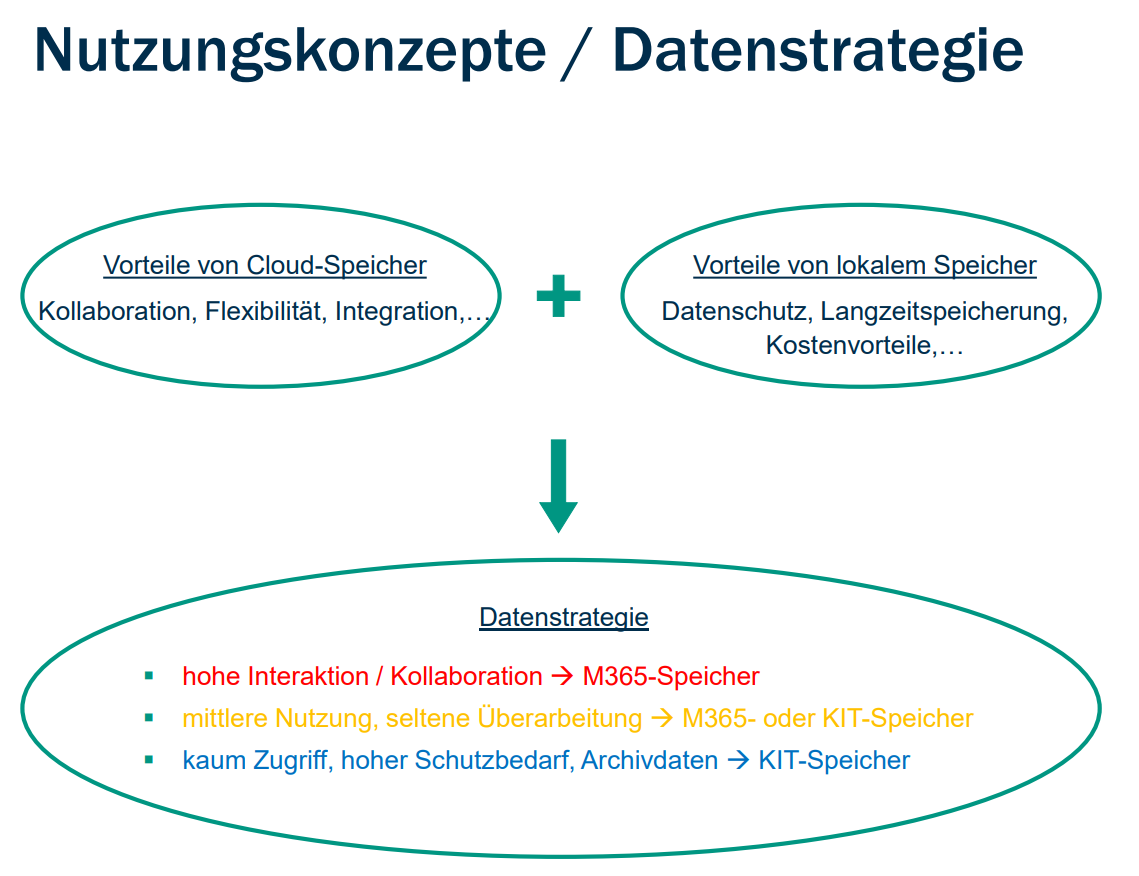
Cloud storage greatly simplifies the exchange of data. Documents are edited together and managed independently of device and platform. The access behavior to shared documents changes during the "life cycle" of a document. KIT's data strategy is derived from this.
Data usage - hot - warm - cold
The frequency of access to data changes over the course of a joint project. At the beginning of a project, accesses tend to be numerous, regular and frequent, while accesses become less frequent towards the end of a project. After the end of the project, the data is probably no longer changed at all.
Accordingly, the need to process data collaboratively and store it in the cloud changes over the course of a project or collaboration.
Taking this change in access behavior into account, KIT pursues the following data strategy for storing data in the M365 cloud.
| Data | Access pattern | Storage medium |
| HOT | High interaction & collaboration | M365 storage |
| WARM | Medium usage, infrequent revision | M365 or KIT storage |
| COLD | Hardly any access, high protection requirements, archive data | KIT storage |
KIT's own storage services are available for long-term storage. "COLD" data must be migrated from the cloud to the local KIT storage.
Data storage in M365
The two Microsoft services Teams and Microsoft OneDrive are available for storing or exchanging data in the Microsoft Cloud (M365).
When storing data via Microsoft applications in the cloud (M365), the SharePoint online service is used.
- Data in MS Teams is intended for sharing and collaborating on documents, tasks, notes, etc. within a team.
- MS OneDrive is considered a person's personal storage space and is also used as a storage location when sharing data in a 1:1 Teams chat.
You can see where the data is actually stored by looking at the URL when you open the file in your web browser.
- Data at Teams for Team "OE_TeamName"
- URL: kit0.sharepoint.com/.../OE_TeamName/...
- Data at OneDrive for KIT account "ab1234"
- URL: kit0-my.sharepoint.com/.../personal/ab1234_kit_edu/..
At KIT, the SharePoint online service is therefore not used as a standalone service, but only indirectly via OneDrive & Teams as a storage service.
Data protection & data security in M365
For the use of applications and the storage of data in the Microsoft Cloud (M365), the following apply at KIT
- the service agreements on the introduction and operation of Microsoft 365 dated 15.02.25 for the two locations Karlsruhe and Garmisch-Partenkirchen
- the information classification guideline provided by the Information Security Officer (ISB) (available shortly)
- as well as the data protection information for the use of M365
When storing data in the Microsoft Cloud (M365), the regulations for deprovisioning at KIT are observed.