

- Akademische Forschung und Lehre
- Mitarbeiter des KIT
- Studierende des KIT (auch auf privaten Geräten)
-
Mathematica
-
Mathematica is a powerful computer algebra system with an easy-to-use graphical user interface.
- Contact:
- Contact Person:
- Services:
About Mathematica
Mathematica is a powerful computer algebra system with an intuitive graphical user interface. It provides extensive capabilities for both symbolic and numerical computation, as well as rich visualization tools for functions and data.
Symbolic arithmetic
Mathematica's symbolic engine covers a broad range of mathematical operations, including simplification, factorization, and expansion; solving systems of equations (including non-linear); polynomial operations; differentiation and integration (partial and total, definite and indefinite); solution of ordinary and partial differential equations; power series (Taylor) expansion; limits and residues; and linear algebra including matrix operations such as inversion, transposition, determinants, eigenvalues, eigenvectors, QR and Schur decompositions.
Numerical computation
Numerical calculations can be carried out with numbers of arbitrary magnitude and precision, giving users full control over rounding errors, enabling computations that would be impossible with standard scientific calculators or general-purpose programming languages. Supported methods include trigonometric and exponential functions, Bessel functions, hypergeometric functions, elliptic integrals, numerical integration, equation solving, polynomial interpolation and extrapolation, Fourier transformation, root finding, linear and non-linear optimization, and curve fitting.
Visualization
Functions and data can be displayed in two or three dimensions, in color or black and white, and as animations composed of many individual frames. Graphs are scaled automatically but can also be fully customized to meet specific requirements.
Current Licensed Software Version
Mathematica 14.3
Mathematica 14.1
Mathematica 13.1
Mathematica 12.2.0
Mathematica 12.1.0
Installation
The installation files for the latest version of the software, along with licensing information for Linux, Windows, and macOS, are available on our FTP server. Please note that the installation steps may vary slightly between different versions. Therefore, we kindly ask you to follow the installation guide specific to the version you are installing. Please read below for the licensing details. Mathematica is installed and available on our Linux clusters, BwUniCluster3.0 and Horeka.
Note: Installation files for versions that are not listed above can be obtained upon request by contacting scs-contact∂scc kit edu. Please note that this software is no longer available in the Software Shop.
Licensing
Network License: We strongly encourage Mathematica users to use our network license. To use the network license, please specify the license server name as indicated in the network license configuration file available on the FTP server during installation. An active internet connection is required to use the software. If you are accessing it from outside the KIT network domain, please connect via VPN in order to reach the license server. For instructions on setting up and using the VPN, please refer to the link: Remote Access (VPN)
Mathematica at the SCC of the KIT
Starting the program
Mathematica can be started under Unix or Linux with one of the following commands:
- To start Mathematica with a graphical user interface, use the command mathematica
- The Mathematica kernel, which provides the full functionality of Mathematica but not the graphical user interface, is started with the math command.
Under Windows, the program is started by activating the corresponding icon.
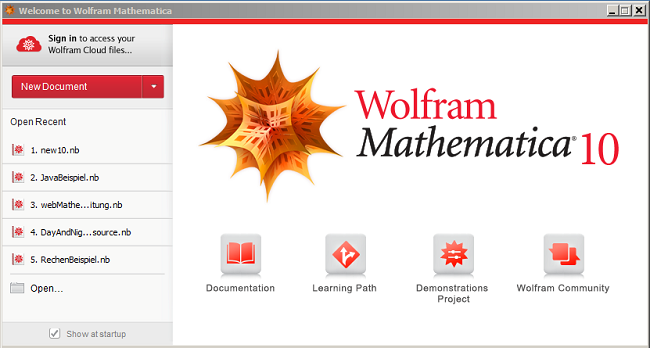
Providing the fonts required by Mathematica
Since Mathematica uses its own fonts to display mathematical symbols, you must ensure that the corresponding fonts can also be loaded from the X server on the workstation when Mathematica is started. If Mathematica is started directly on the local workstation, the fonts are generally available. However, if Mathematica is used on a remote computer on which you have logged in using ssh, for example, the X server on the workstation computer may not have access to the Mathematica fonts. In this case, Mathematica will issue an error message and you must ensure that the fonts are available locally.
You can find more information on installing fonts under Linux on the Mathematica website at
http://reference.wolfram.com/language/tutorial/FontsOnLinux.html
If Mathematica is to be used on a Unix/Linux workstation that is accessed from a PC running Windows via X-Win 32, it is best to install the Mathematica fonts locally on the PC. You can use the X-Config program to check whether the path to the Mathematica fonts is available.
Mathematica introductory courses
There are various introductions to Mathematica on the web, some of them in German, and collections of examples from various courses in which Mathematica was used. An incomplete selection is given in the following list:
- Hands-on Course: Follow the interactive video and get materials via the "Wolfram U: Hands-on Start to Mathematica" page.
- Student & Teacher Course: Access downloadable course notebooks through "Introduction to Mathematica for Students and Teachers".
- Free Book/Guide: Read or reference Stephen Wolfram's "An Elementary Introduction to the Wolfram Language" online for free.
- Documents from the Mathematica Info Day on November 11, 2004
An introduction can be purchased from the ServiceDesk at a price of 4.30 € as a publication in the series of the Regional Computing Center for Lower Saxony/Leibniz University Hannover (RRZN): Mathematica - An Introduction, 7th unchanged edition, April 2012
Documentation and manuals for Mathematica
The Mathematica help function contains a detailed description of the entire program package. As the documentation now comprises more than 10,000 pages, it is only available online. The main material is based on the book 'The MATHEMATICA Book' by Stephen Wolfram, the author of Mathematica and founder of Wolfram Research. In addition, many examples of Mathematica notebooks are available via the online help.
Further information from Wolfram Research
- Mathematica Documentation Center
Online documentation with links to tutorials and examples on individual topics - Mathematica Knowledge Base
Answers to frequently asked questions - Mathematica Learning Center
Collection of Mathematica tutorials, examples, demos etc. - Mathematica Community
Links to various forums as well as news and events - The Integrator
Web interface for the use of Mathematica for the integration of functions
Further external sources of information on Mathematica
- Information on Mathematica from the German distributor Additive GmbH
- Mathematica in German-speaking countries by R. Mäder
(Directory of distributors and publishers, registration for the mailing list of the German-speaking Mathematica User Group (DMUG), DMUG archive, German-language books on Mathematica, etc.) - Newsgroup for Mathematica comp.soft-sys.math.mathematica